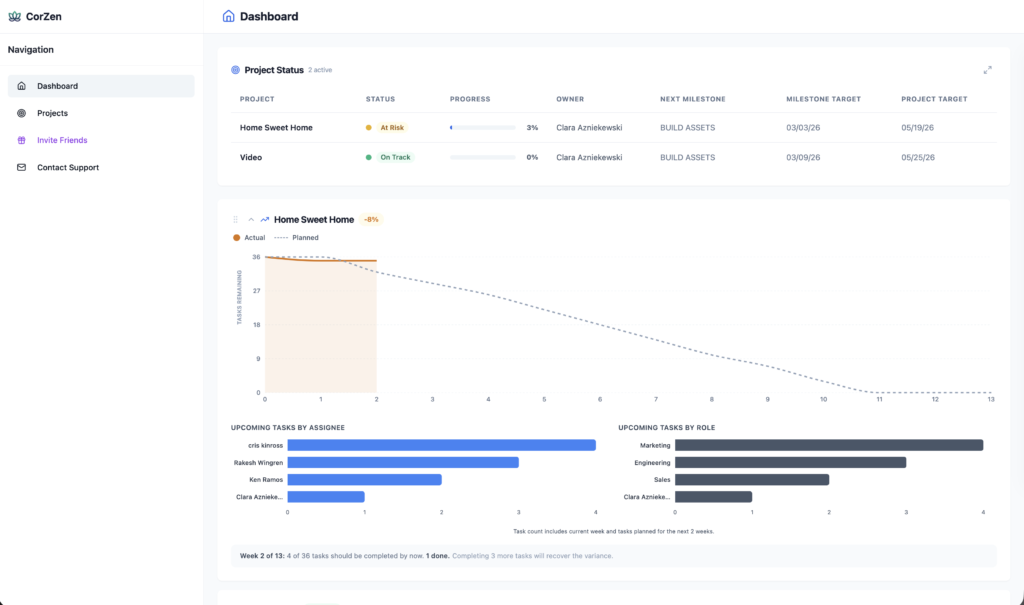
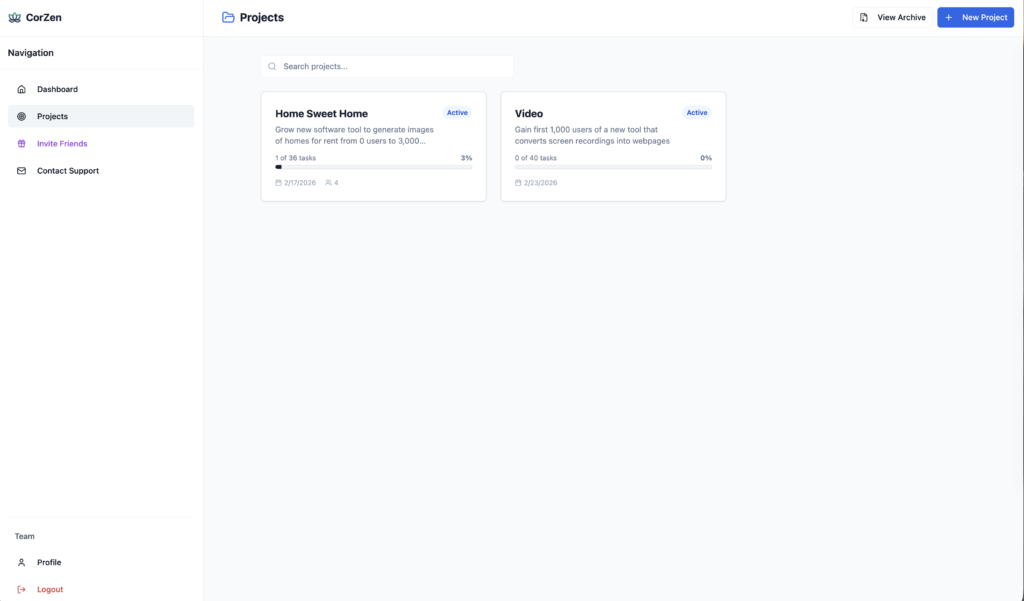
CorZen gives you two main ways to see your work: the Dashboard (for a view of progress across all projects) and the Projects view (where you can dig into individual initiatives). Here’s how to move between them without getting lost.
Dashboard view
Projects view
Switching from Dashboard to Projects
While on your Dashboard, click on ‘Projects’ in the left navigation menu to switch to Projects view. Reverse the process to use Projects view.
Opening a specific project
From the Projects view
Click on the project you wish to open. For example, clicking on “Home Sweet Home” takes you to that project’s page, where you’ll see the full goal description, current week’s focus, and a breakdown of tasks organized by milestone.
From the Dashboard
Projects can be opened from your Dashboard in two ways:
Click once anywhere on the project row in the summary table at the top of your Dashboard
Click twice anywhere on the project card. Note: the grab bar (light grey 2×2 dots on top left of card) is used to drag the project above or below other projects so that you can determine the order in which project analytics are presented. Clicking on the grab bar will not open the project.